TechJoy Fax API home TechJoy Fax API

Joyful Faxing for Modern Businesses

Enterprise-grade fax API with a portal so intuitive, it feels like magic. Send, receive, and manage faxes with ease.

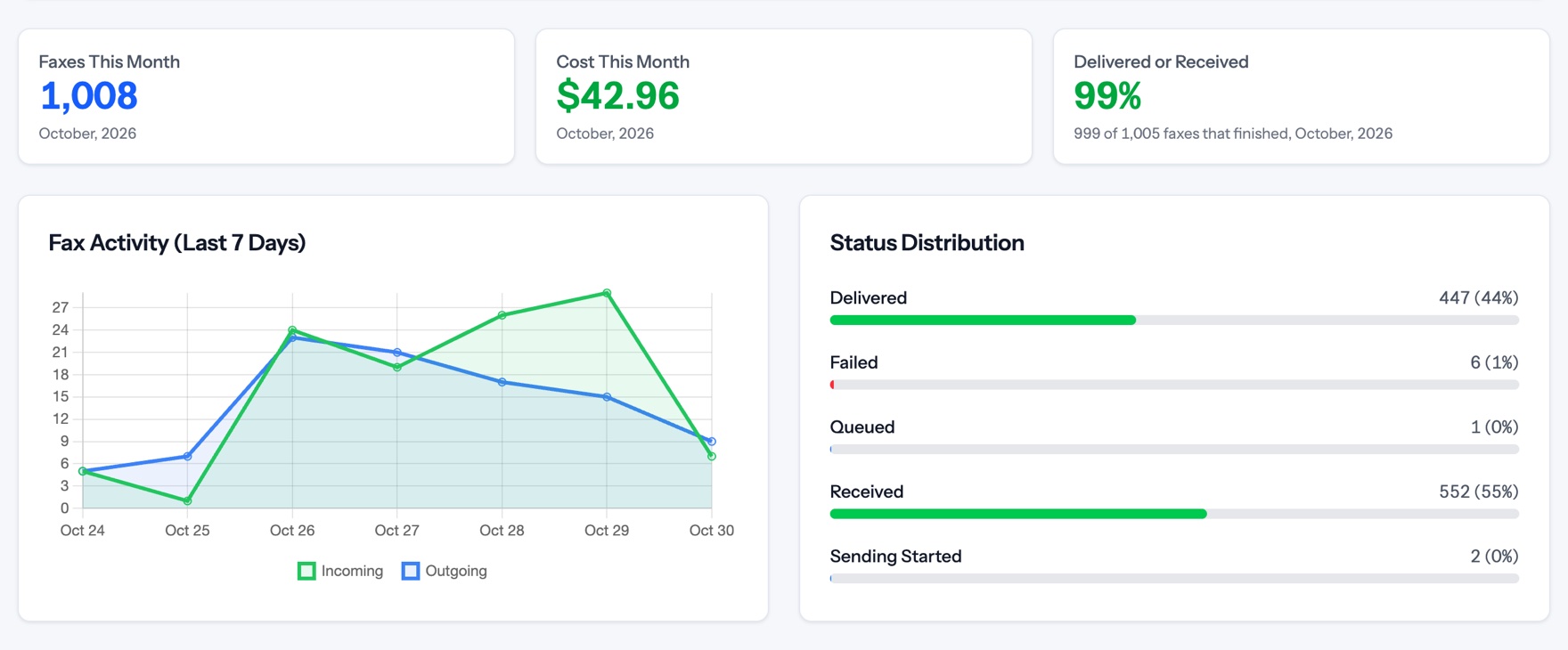
The portal dashboard: faxes, cost and success rate this month, a seven-day fax activity chart, and a status breakdown.

Why TechJoy Fax API?

Effortless Integration

Plug-and-play REST API with clear docs and fast onboarding.

Secure & Reliable

Enterprise-grade security, encryption, and 99.99% uptime.

Joyful Support

Friendly, expert help from the TechJoy team whenever you need it.

Every screen below is the real portal, shown with sample data.

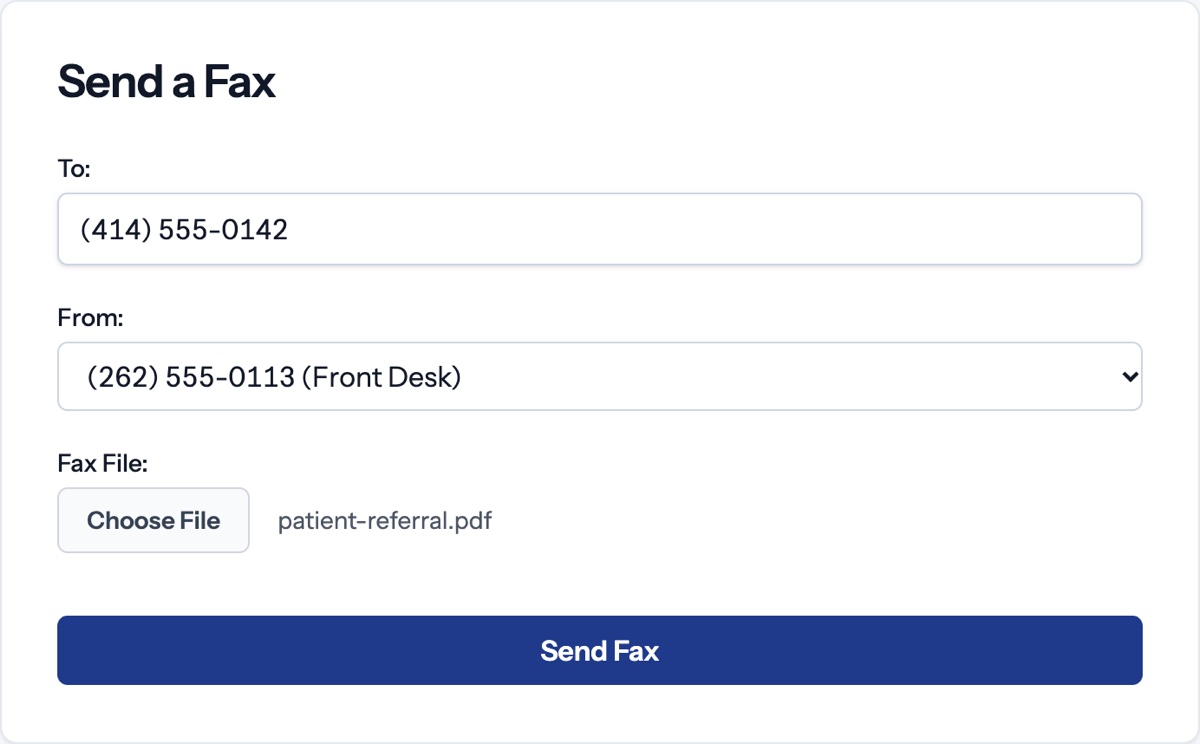
Send Faxes in Seconds

Upload your document, select your number, and send. No complicated setup, no learning curve. Prefer email? Send a fax straight from your inbox with Email to Fax.

  • Upload a PDF straight from your browser
  • Choose from your provisioned numbers
  • Email to Fax: send by emailing a PDF
  • Real-time delivery confirmation
  • Full transmission history
The Send a Fax form: a destination number, a sending number picked from the account, and an attached PDF, with a Send Fax button.

Complete Fax History

Search, filter, and manage your complete fax history. Find any fax instantly with powerful search and intuitive filters.

  • Search by phone number or content
  • Filter by date range and status
  • Download original documents
  • Track delivery status in real-time
The Fax History table: destination and sending numbers, document links, page counts, direction, and status pills for Delivered, Received, Failed, Sending and Queued.

Instant Number Provisioning

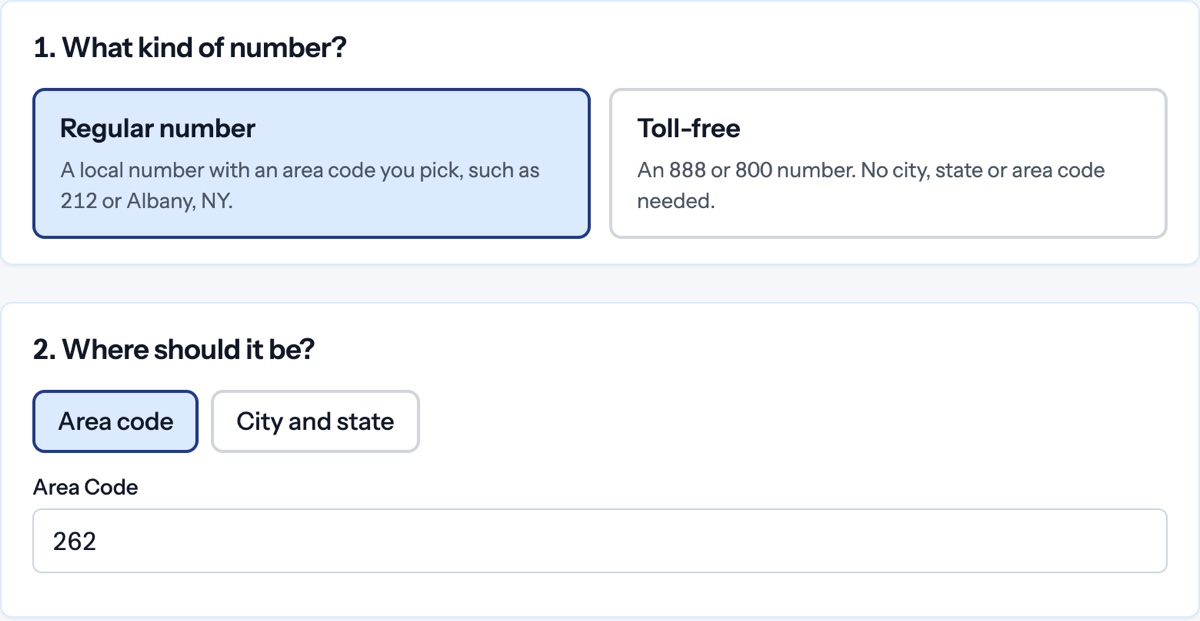
Search and provision fax numbers in seconds. Find local numbers by city, state, or area code, or go toll-free for nationwide presence.

  • Search by city, state, or area code
  • Local and toll-free options
  • Instant activation
  • No contracts or commitments
The Add Phone Number wizard: a choice between a regular local number and a toll-free number, then an area code search.

Self-Service Number Porting

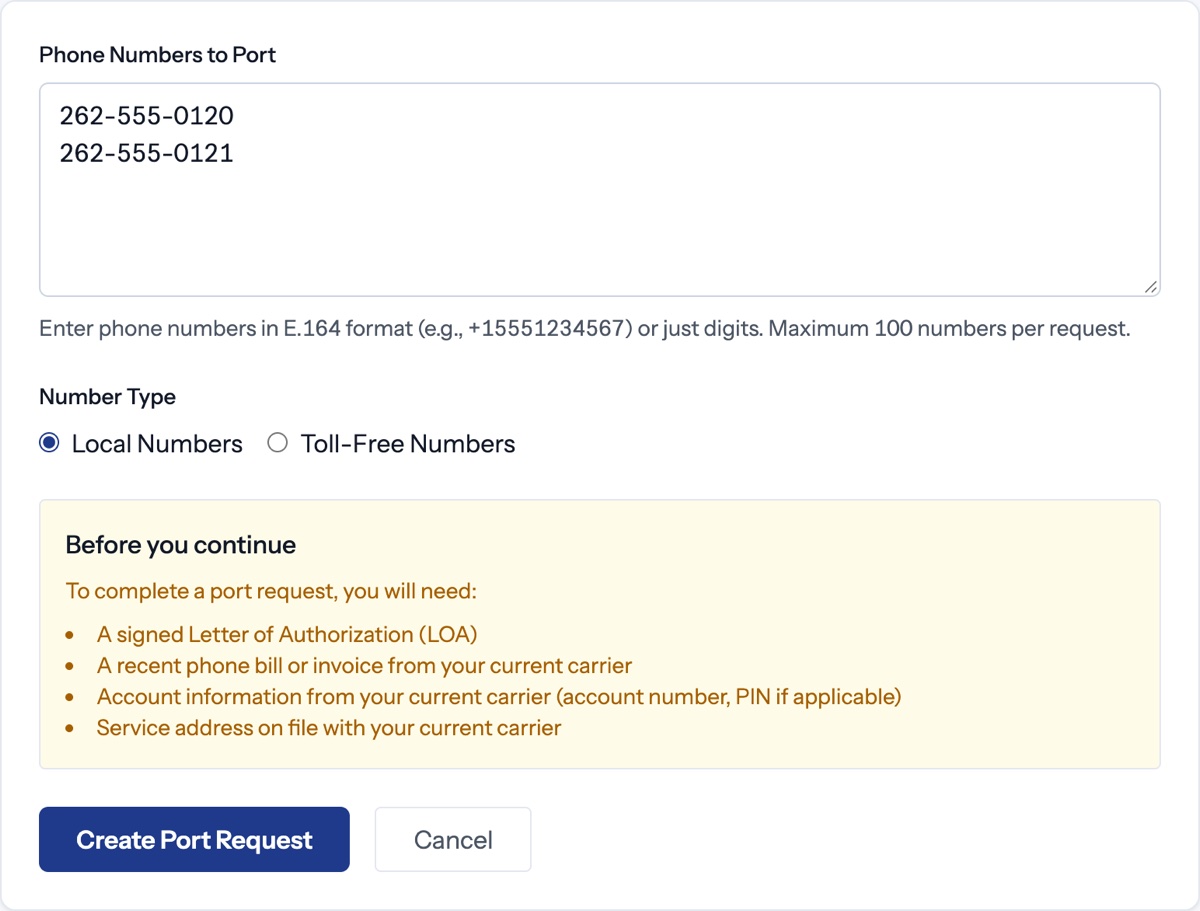
Bring your existing fax numbers to TechJoy. Our streamlined porting process lets you submit requests directly, with no phone calls or paperwork required.

  • Submit port requests online
  • Real-time status tracking
  • Typical completion in 5-7 business days
  • Zero downtime transfer
The New Port Request form: numbers to port, local or toll-free, and a checklist of what the port needs.

Phone Numbers

Purchase new fax numbers instantly or port your existing numbers. Local numbers in every area code, available in seconds.

  • Instant number provisioning
  • Search by city, state, or area code
  • Port existing numbers seamlessly
  • Toll-free numbers available
The Phone Numbers list: each number with its name, type, status and whether email-to-fax is on.

Webhooks

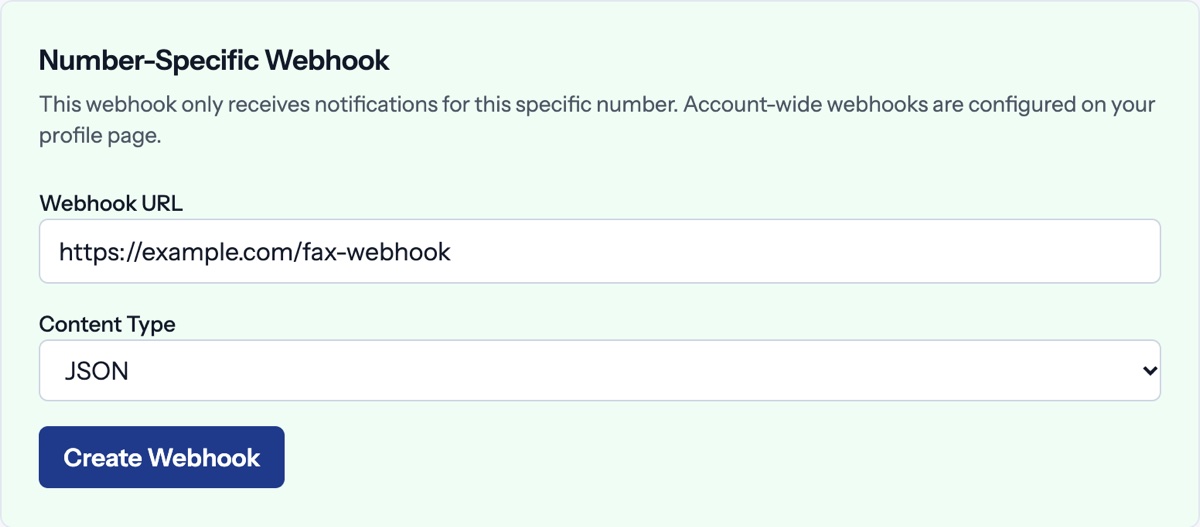
Get instant notifications when faxes arrive. Configure webhooks at the account level or per-number for precise control.

  • Account-wide or per-number webhooks
  • JSON, XML, or form-encoded payloads
  • Secure signature verification
  • Automatic retries on failure
The number-specific webhook form: a webhook URL, a content type of JSON, and a Create Webhook button.

Email Notifications

Receive fax notifications directly in your email. Set up multiple recipients at the account or number level.

  • Multiple recipient support
  • Account or number-level configuration
  • PDF attachments included
  • Instant delivery
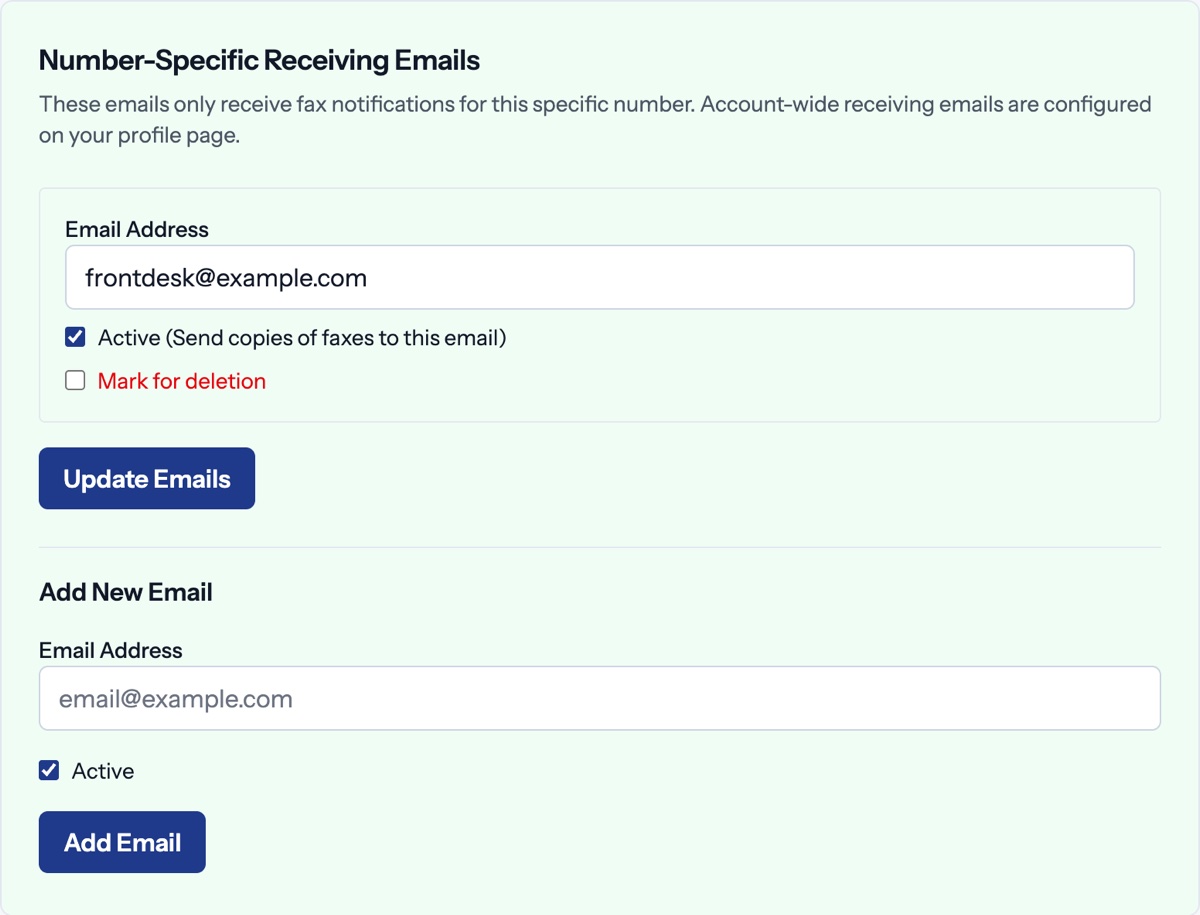
Number-specific receiving emails: an address that gets a copy of every fax, an Active switch, and a form to add another address.

Fax From Your Inbox

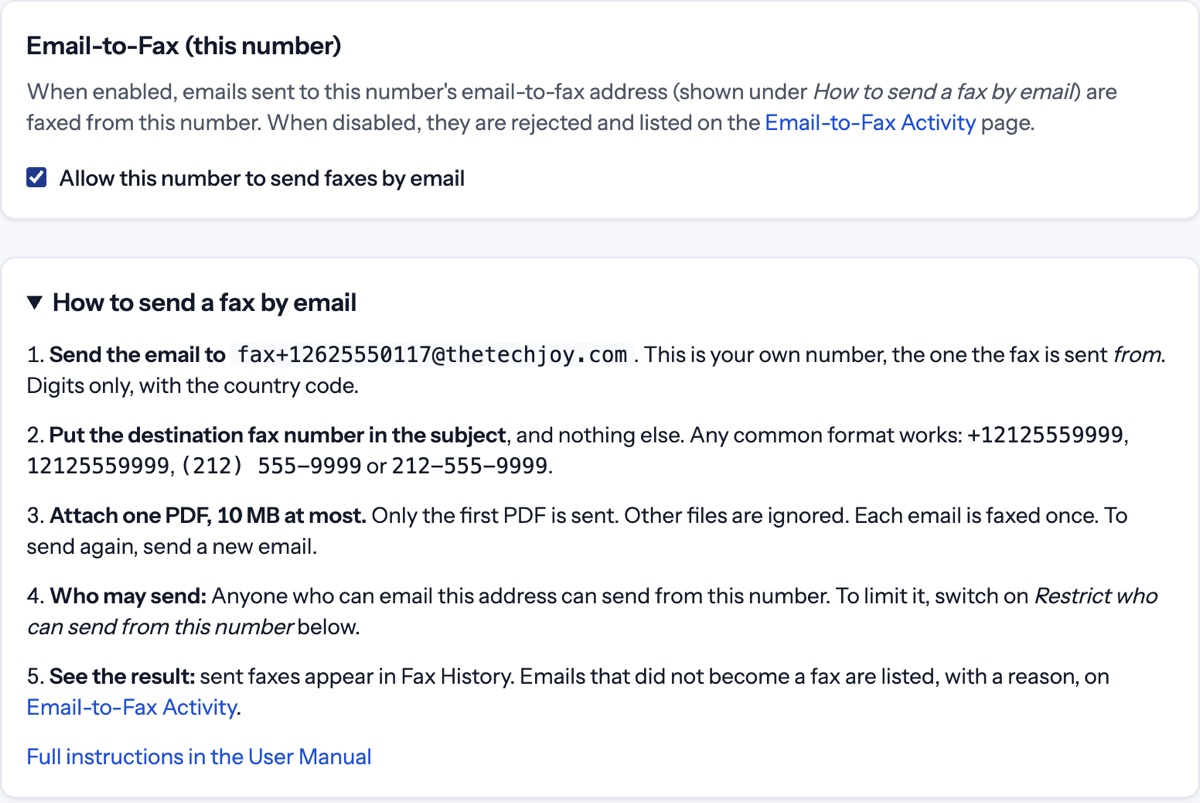
Turn on email-to-fax for a number, then email a PDF to its fax address with the destination number in the subject. The fax goes out from that number.

  • Switch it on or off for each number
  • One PDF per email, up to 10 MB
  • Limit who can send from each number
  • Emails that did not become a fax are listed with a reason
Email-to-fax settings for one number: the switch that allows sending by email, and the five steps to send a fax by email.

Team Management

Invite team members, set granular permissions, and control who can access what. Perfect for organizations of any size.

  • Invite team members via email
  • Granular permission controls
  • Share specific numbers with clients
  • Activity tracking per user
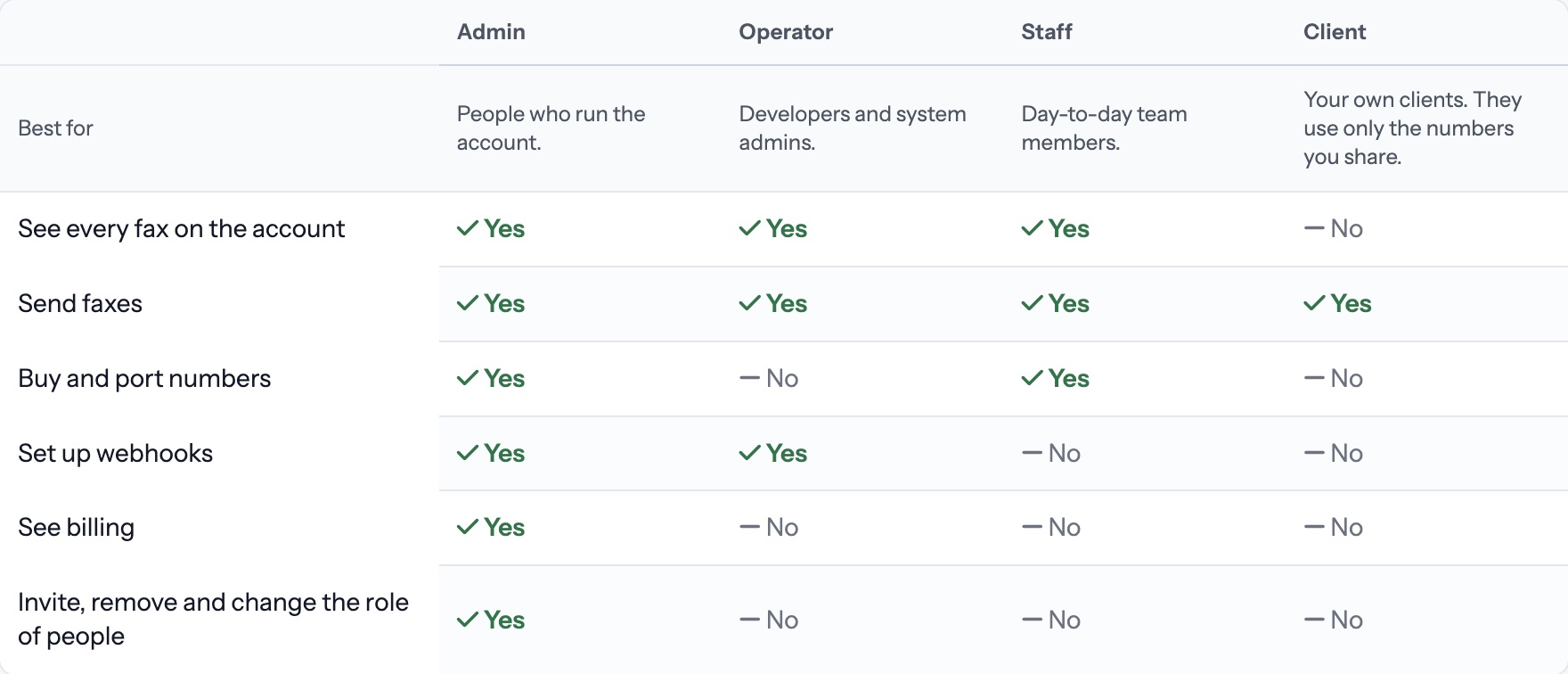
The What each role can do table: Admin, Operator, Staff and Client, with what each one can see and change.

Getting started

  1. Talk to us

    Tell us how you fax today and which numbers you want to keep.

  2. Get your account

    We set up your account. You get an email to set your own password.

  3. Start faxing

    Add or port numbers, invite your team, and send from the portal, by email, or through the API.

Ready to Fax with Joy?

Contact us for a free consultation or to request API access.

Contact TechJoy